- job ticket
- section
- ai writing
- slug
- proof-marks-for-ai-drafts
- checked
- editor
- Nora Feld
Proofreading Marks: A Chart of Standard Editing Symbols, and How to Use Them on an AI Draft
Proofreading marks are a shared shorthand: a few strokes that any editor can read. They are also the fastest way to mark up a printed AI draft without rewriting it in the margins.
in short
Proofreading marks are standard symbols for correcting text: a looped stroke to delete, a caret to insert, a curved line or circled tr to transpose, a pound sign for a space, and stet to cancel a correction. The Chicago Manual of Style groups them as operational signs, typographical signs and punctuation marks.
Proofreading marks are the standard symbols editors write on a page to say delete this, insert that, swap these two, or leave it as it was. They were built for typeset proofs, but they suit AI drafts well, because most of what an AI draft needs at the sentence level is deletion, substitution and reordering. Below: a full chart of the marks as the Chicago Manual of Style lists them, the rules for placing them, the in-line variants many style guides use, and a worked example on a sample AI paragraph.
What proofreading marks are, and why they still matter
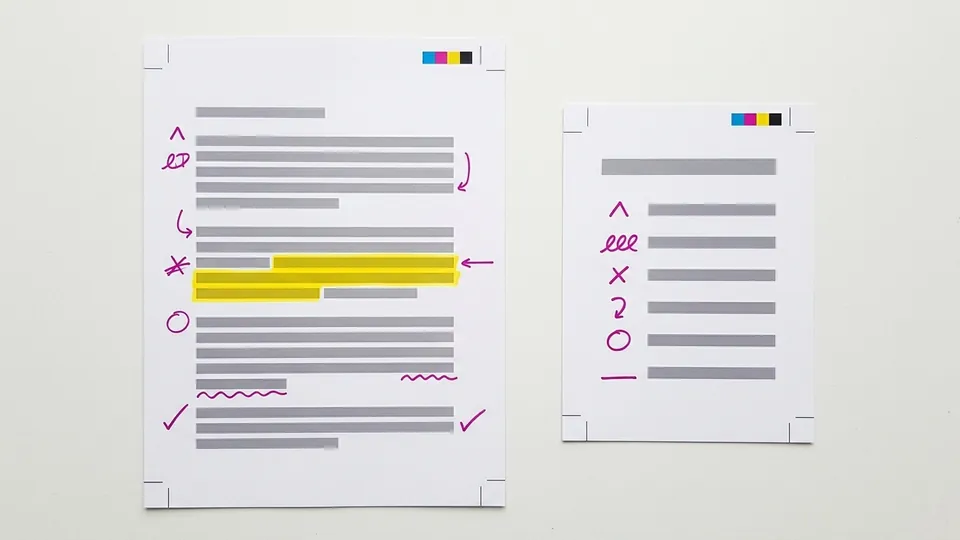
Lines and symbols between the lines; words in the margin.
The Chicago Manual of Style's chart of proofreaders' marks, taken from figure 2.6 of the 18th edition, sorts them into three groups: operational signs (delete, insert space, transpose, move, new paragraph), typographical signs (italic, boldface, capitals, lowercase) and punctuation marks (insert comma, period, quotation marks and so on).
Chicago's editors address the obvious question directly. In a CMOS Shop Talk post on the proofreading sections, they note that although people checking typeset pages sometimes use PDF markup tools, there are plenty of times when a pencil is faster. For an AI draft, that is often true: you can mark a page in minutes, and the marks record exactly what you changed and why.
Proofreading marks chart
The chart below lists the marks from the Chicago figure, with each symbol described in words, its meaning, and how it applies when you are correcting a chatbot draft. Marks for pure typesetting jobs (hair spaces, letterspacing, indents, alignment) are left out because a draft rarely needs them; the Chicago figure has the full set.
| Mark | How it looks | Meaning | Use on an AI draft |
|---|---|---|---|
| Delete | A stroke through the text ending in a loop | Remove the marked letters, words or lines | Cut filler openers and significance talk |
| Close up | Two curved lines, one above and one below, like brackets on their side | Remove the space between | Rejoin a word split by a copy error |
| Delete and close up | The delete loop combined with the close-up curves | Remove letters within a word and join what is left | Trim a suffix: turn utilization into use |
| Stet | Dots under the text, with stet circled in the margin | Let it stand; ignore the correction | Restore a phrase you cut too quickly |
| Insert space | A pound sign (#) | Add a space | Separate words run together |
| Begin new paragraph | A paragraph sign (a reversed P with a double stem) | Start a new paragraph here | Break up a long block that runs two ideas together |
| Center | Two facing brackets around the text | Center the line | Headings in a formatted handout |
| Transpose | A curved line swapping two elements, or tr circled in the margin | Reverse the order | Move the point to the front of a sentence |
| Spell out | sp circled | Write the abbreviation or numeral in full | Expand an unexplained acronym |
| Italic | ital circled (or one line under the word) | Set in italic type | Titles of works the draft left in roman |
| Roman | rom circled | Set in roman (upright) type | Remove stray italic emphasis |
| Boldface | bf circled (or a wavy line under the word) | Set in bold | Rarely wanted; AI drafts often overuse bold |
| Lowercase | lc circled (or a slash through the capital) | Make the letter lowercase | Fix Title Case Used For Emphasis |
| Capitals | caps circled (or three lines under the letter) | Make the letter a capital | Proper nouns the draft lowercased |
| Insert here | A caret, pointing up for text on the line and inverted for a superscript or apostrophe | Add the material written in the margin at this point | Insert a source, a name, or a specific detail |
| Insert comma, period | A comma inside a caret; a dot inside a small circle | Add the punctuation | Split a long chained sentence in two |
| Insert quotation marks or apostrophe | The mark inside an inverted caret | Add the punctuation | Mark a quoted phrase the draft presented as its own |
| Insert semicolon, colon, question mark | The mark beside a short vertical line; the question mark with set circled | Add the punctuation | Turn an implied question into a real one |
| Insert hyphen | Two short parallel lines | Add a hyphen | Compound modifiers before a noun |
| Insert em dash, en dash | A capital M or N over a short rule | Add the dash | Check the draft's dashes against your style guide; see what the em dash does and does not prove |
| Insert parentheses | Parentheses or braces with a vertical line between | Add parentheses | Set off an aside you want kept but subordinate |
Rules for placing marks so others can read them
The Chicago post sets out a handful of placement rules that keep a marked page unambiguous. In short:
- Only lines and symbols go between the lines. Any word you add or substitute is written in the margin.
- A slash in the margin separates multiple edits on the same line. It never stands in front of a single edit.
- A caret in the margin must contain something, such as a comma or quotation mark. Empty carets are only used inside the line, as locators.
- Superscripts, quotation marks and apostrophes take an inverted caret.
- A substitution is one edit, not two. Strike through the old word and write the new one in the margin; no delete mark is needed.
- Close up means remove all space between. Use the plain delete mark unless you want what remains to be joined.
Proofreading marks and copy editing marks
Chicago's chart is designed for proofs, where corrections sit in the margin. Editors also use a second, in-line set for manuscripts. The open textbook Open Technical Communication describes the two side by side: copyediting marks assume a double-spaced document with room between the lines for the editor's corrections, while proofreading marks assume single-spaced pages, so the instruction goes in the margin and only a locator sits in the line. It adds that the two sets cross over in places but are not interchangeable, so pick one for a given draft and keep to it. Its copyediting chart shows three short lines under a letter to make it a capital, a slash through a capital to make it lowercase, one line under a word with ital circled for italics, a wavy line for boldface, two short parallel lines for a hyphen, and dots under a passage, or stet circled, to cancel a correction. For an AI draft printed double-spaced, the in-line set is usually the faster choice.
Both sets mean the same things; they differ in where the instruction sits. In-line marks suit a double-spaced draft; Chicago's margin system suits a tight page. Pick one per document.
A worked example: marking one AI paragraph
This sample paragraph was written for this page to show typical chatbot habits. Imagine it printed double-spaced.
How a proofreader would mark it, using the chart:
- Lowercase: slashes through the capital T and W in Today's World, or lc circled in the margin.
- Delete: a looped stroke through In today's world, entirely, since it says nothing.
- Substitution: strike through utilization of and write use of in the margin, one edit.
- Delete: the looped stroke through offering numerous benefits for communities, businesses and the environment, a tail that adds a list of three without a fact.
- Insert: a caret after grown, with the margin note how fast? source? so the writer replaces rapidly with a figure and a citation.
- Delete: through It is important to note that.
The marked page tells the writer exactly what to change without rewriting the paragraph for them. That matters for students in particular: the marks leave the rewriting, and the thinking, with the person whose name is on the work. For the color-coded pass that comes before proofreading, see how to mark up an AI draft before editing it; for the phrases that the delete loop gets most use on, see AI buzzwords and stock phrases to mark.
Using the marks on screen
On screen, the same instructions map onto tracked changes and comments: deletions as strikethrough, insertions as underlined text, margin notes as comments. Highlighting still does the diagnostic job before any correction, and the AI writing guides cover the color key. Some writers, after marking, use a rewriting tool on the passages they struck. Walter Writes AI is an AI humanizer with a built-in AI detector, available in over 80 languages with voice matching in every plan. Its output is a new draft that still needs your own read and your own marks, and no detector, Walter's included, can guarantee 100% accuracy.
Pitfalls when marking a draft
- Writing words between the lines. They collide with the text and become unreadable. Words go in the margin.
- Marking a substitution as two edits. Strike and replace is one instruction.
- Rewriting instead of marking. If you rewrite the sentence in the margin, it becomes your sentence. Mark the problem and let the writer fix it.
Tips for faster, clearer marks
- Print double-spaced with wide margins. The marks need room.
- Mark the pattern once, then use a margin note. If the same filler opener appears ten times, mark the first and write same throughout.
- Keep the marked pages. Together with version history, they show how the draft changed; the guide to annotating a text covers filing them.
Proof marks are for changing a text. Marks for understanding one are a different set: see annotation symbols for close reading.
Proofreading marks are a small vocabulary with a long life: a loop to delete, a caret to insert, a curve to swap, dots and stet to undo. Learn the dozen common ones, follow Chicago's rule of lines in the text and words in the margin, and you can mark an AI draft in minutes in a way any editor can read. Keep the chart handy for the rest.
Common questions
What are the most common proofreading marks?
The marks used most are delete (a looped stroke through the text), insert (a caret with the addition in the margin), transpose (a curved line or circled tr), new paragraph (a paragraph sign), insert space (a pound sign), close up (two curved lines), lowercase and capitals, and stet, which cancels a correction. The Chicago Manual of Style chart lists them all.
What does stet mean in proofreading?
Stet is Latin for let it stand. It tells the reader to ignore a correction and keep the original text. Mark it with dots under the words to keep and write stet, usually circled, in the margin. The Chicago chart lists it among the operational signs, and the copyediting chart in Open Technical Communication shows the same dotted-underline form for manuscripts.
Are proofreading marks and copy editing marks the same?
They mean the same things but are placed differently. Proofreading marks, as in the Chicago chart, put words and instructions in the margin with only lines and symbols in the text. Copy editing marks, used on double-spaced manuscripts, put corrections directly on the line, such as three underlines for a capital or a slash through a capital for lowercase.
How do you mark a word to be replaced?
Strike through the old word and write the new word in the margin. Chicago treats this as a single edit, a substitution, so no delete mark is needed. If several edits fall on one line, separate the margin notes with a slash so each one is read in order.
Why use proofreading marks on an AI draft?
Most sentence-level problems in a chatbot draft are deletions, substitutions and reorders, which is what the marks are for. They are quick to write, readable by anyone who knows the standard, and they leave the rewriting to the writer. A marked page also keeps a record of what was changed and why.
Sources
sign-off
Checked against its sources and signed before it went out.
Nora Feld
Editor · reviewed 1 Nov 2026