Record: 14 pages
Highlights as a Record: Evidence of Reading, Sourcing and Authorship
A highlight with a note and a link is more than a study aid. It is a record a teacher, an editor or a reader can check.
A reading record is the trail you leave while you read: the passages you marked, the notes you wrote beside them, the dates you wrote them, and the links or page numbers that lead back to each line. This section of the site is about making that trail on purpose, so that the marks answer questions a stranger might reasonably ask: which sources did you use, which words did you quote, and when did you read them? The starting point is a small set of annotation symbols with a reason beside each mark, and the habit of putting a date next to anything you might quote.
What such a record proves is narrow and useful. It shows that you read a particular text, because the marks are in it. It shows which words you took, because they are highlighted and quoted the same way in your writing, and the citation formats for a confirmed quotation turn that into something a reader can follow. It shows when, because the notes are dated and the files carry timestamps. What it does not prove is that every sentence in your essay was typed by you alone, or that your reading was careful; a record can be thin. But a thin record is still more than a claim, and it makes separate judgements about where a text came from unnecessary.
The guides in this lane follow the record from the first mark to the finished piece. On the sourcing side, annotating a source claim by claim shows how to test what a document says before you lean on it, and tracing a quotation back to where it first appeared deals with the words that travel furthest from their origin. For work that has to stand up to a checker, the verification workflow with a log and a highlight link per claim is the fuller method, written for journalists, editors and students alike. When the reading is done, building an annotated bibliography out of your highlights turns the marks into the document teachers most often ask for.
Chatbot answers need the same treatment as any other source, with one difference: they change and disappear. Marking up a chatbot answer before you rely on it explains how to fix a copy and check its claims, and the format for citing a chatbot answer covers what a reader needs to know about it. Your own use of such tools belongs in the record as well. A short, plain disclosure of any AI help in a piece is easier to write when the highlights and drafts already show what you did yourself.
Authorship is the third strand. Keeping your marked-up drafts as evidence of how a piece grew is the simplest proof of process there is, and a highlighting method for reviewing who wrote what helps teachers and editors read that evidence fairly. When your reading and notes live inside apps, exporting the highlights and notes into dated files you own is what makes them a record rather than a memory. For images and articles that carry a provenance label, a reader's guide to Content Credentials explains what the label can and cannot tell you, and how your own note and link are the reader's side of the same idea. One further guide, on reading habits that notice patterns in machine-shaped prose, is about attention rather than record keeping, and sits here as background.
You can start a reading record in ten minutes. Open the text you are reading now. Mark one claim, one piece of evidence and one passage you might quote, and write a dated note beside each. If the text is a web page, paste the quotable sentence into the highlight link tool to get an address that opens the page at that line, or use the one-click highlighter bookmarklet to mark it in place. Save the note and the link in a plain text file named with today's date. That file is the beginning of a record; the rest of this section makes the next one better.
The tools that make the record
Both are free and store nothing: the highlight link generator and the bookmarklet.
In this section
Record
How to Annotate a Text So Your Marks Become a Record
Annotation is reading with a pen in your hand.
Record
How to Cite a Quote So a Reader Can Check It
A citation is a promise that the words are real and that a reader can find them.
Record
Write an Annotated Bibliography From Your Highlights
An annotated bibliography asks you to describe and judge each source you used.
Record
A Source Verification Workflow Built on Highlights
Fact checking is not a feeling of confidence.
Record
Export Highlights and Notes as a Record of Work
Highlights trapped inside an app are a memory.
Record
Content Credentials for Readers: What the Label Can and Cannot Tell You
A Content Credentials label is a signed history of a file: who made it, with what, and what changed.
Guides
How to Annotate a Source to Verify Its Claims
Anyone can publish a confident paragraph, and in 2026 anyone can generate one in seconds.
Guides
How to Trace a Quote Back to Its Source
Quotations travel further and change more than any other kind of text, and fabricated ones now appear in generated articles with convincing names attached.
Guides
How to Quote and Cite an AI Chatbot Answer
A chatbot answer is not a source in the usual sense: it has no stable address and nobody stands behind it.
Guides
How to Annotate an AI Chatbot Answer Before You Trust It
A chatbot answer reads like a finished article, which is exactly why it needs annotating.
Study
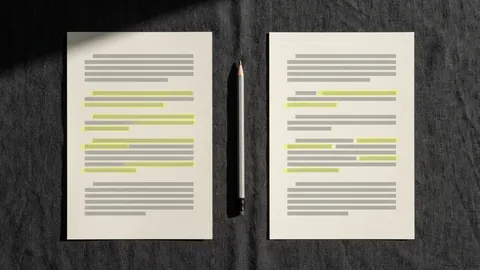
Show Your Writing Process With Annotated Drafts
The best evidence that you wrote something is the mess you made on the way.
Study
Authorship Review With Highlights: A Fair Method
When a teacher is unsure who wrote an essay, the fairest evidence is the writing process itself.
Study
How to Disclose AI Help in Your Writing
Using a writing tool is not the problem most policies worry about; hiding it is.
Study
Close Reading for AI Writing Patterns: What to Highlight
Machine-written prose has habits, and habits show up when you read with a pen.