Record
A Source Verification Workflow Built on Highlights
Fact checking is not a feeling of confidence. It is a passage you can point at, a note that says who published it and when, and a link that takes the next person to the same line.
Source verification is the part of fact checking that most people skip. They read a claim, search for it, see it repeated on three sites and move on. What they have checked is that the claim is popular. This guide describes a source verification workflow that ends somewhere firmer: a highlighted passage in the earliest document you can find, a log entry that records who published it, when, and where you found it, and a link that opens the page at that exact line for whoever checks your work next.
In short
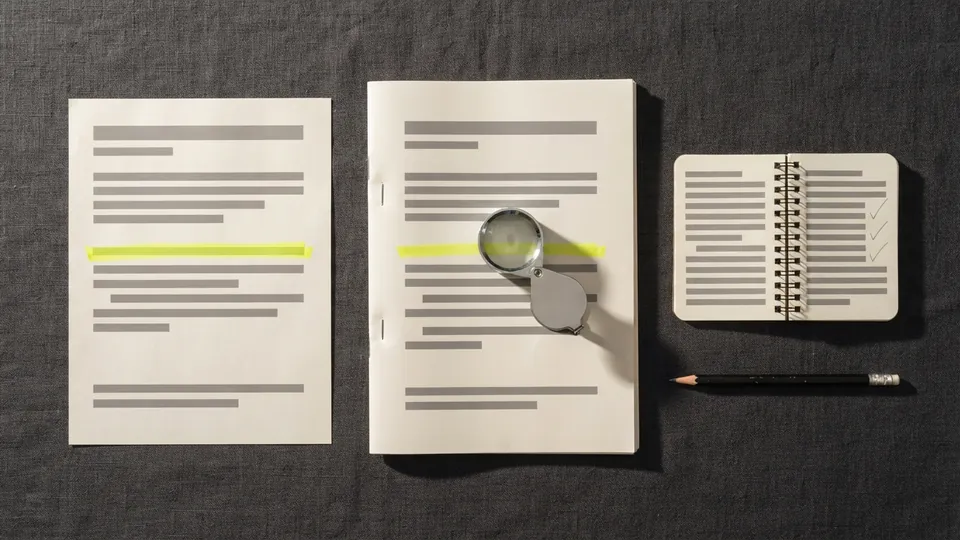
To verify a source, find the primary document behind the claim, highlight the exact passage that supports it, and record the publisher, the date and where you found it. Add a highlight link so a colleague lands on the line, save an archived copy, and log the result, including cases where the source disagrees with the claim.
What source verification means
A claim is verified when you have read the words that support it in the document where they first appeared, and you have kept enough information for someone else to find the same words. Two things follow from that definition. The document has to be the primary source, or as close to it as you can get. And the check has to leave a trace: a mark on the passage and a note about it.
This differs from lateral reading, the habit of leaving a page to see what other sources say about the site you are on. The Digital Inquiry Group's civic online reasoning lessons teach lateral reading as the first move when you meet an unfamiliar site, and it is a good first move. It tells you whether the publisher is worth reading. It does not tell you whether this particular sentence is true, which is the job of the workflow below.
Find the primary source, not the summary
Most claims arrive second hand: a news report quoting a study, a post quoting the news report, a colleague quoting the post. Each step can drop a qualifier or change a number. The UC Berkeley Library's guide to evaluating resources asks of every source whether the author cited their sources and who they cited; those citations are your path back. Follow them until you reach a document that does not cite anyone for the claim, because it is the document that made it: the study, the ruling, the speech transcript, the company filing, the dataset.
Sometimes the primary source is not online, or is behind a paywall, or is in another language. Record that. A log entry that says primary source is the 2019 court judgement, not accessed, checked against the official press summary is honest and useful. A log entry that pretends you read the judgement is neither.
The source verification workflow, step by step
Write the claim out in one sentence
Before you search, write the claim as a single testable sentence, with the number, the name and the date it contains. If the claim is vague, this step will show you, and a vague claim cannot be verified, only rephrased.
Follow the citations back to the primary source
Open whatever cited the claim and look for its source. Keep going until you reach the original document. Note each hop, because a chain that goes news site to press release to study is itself a finding: it tells you where a distortion could have entered.
Highlight the exact passage that supports the claim
In the primary source, highlight only the sentence or figure that supports the claim, not the paragraph around it. Compare it word by word with your claim sentence. The method for doing this across a whole document is described in a claim-by-claim annotation pass over one source; here you are doing it for a single claim.
Record who published it, when, and where you found it
Write the publisher, the author if named, the publication date, the date you looked, and the address or the shelf mark. If the page has no date, say so. These five facts are the minimum that lets a stranger repeat your check.
Make a highlight link to the line
For a web page, paste the highlighted sentence into the free highlight link generator on this site. It produces an address ending in
#:~:text=followed by the words, and current versions of Chrome, Edge, Safari and Firefox open it scrolled to that sentence, with the passage marked. Put that link in the log. A colleague clicks once and is looking at the line, not the page.Archive the page and log the result
Save the page to the Internet Archive's Wayback Machine using Save Page Now; the help centre notes that the saved copy gets a permanent address and survives the original changing or disappearing. Put the archive address beside the live one, then write the verdict: supported, partly supported, not supported, or could not check.
Keep a verification log
The log is a table, one row per claim. Keep it in a spreadsheet or a plain text file beside the draft. The columns below are enough; add a column for the reporter's name if more than one person is checking.
| Column | What goes in it | Example row |
|---|---|---|
| Claim | The claim as one sentence, as it appears in the draft | The city's 2023 budget for street lighting was 4.2 million |
| Primary source | Publisher, author, title, date of the original document | City finance office, Annual budget 2023, adopted 14 Dec 2022 |
| Passage | The exact words you highlighted, in quotation marks | "Street lighting and traffic signals: 4,200,000" |
| Where found | Live address and archived address, plus your highlight link | budget.pdf p. 41; Wayback copy dated 2026-09-24; text fragment link to the row |
| Checked on | The date you checked, and by whom | 2026-09-24, N. Feld |
| Verdict | Supported, partly supported, not supported, could not check | Partly supported: the figure covers lighting and signals together |
| Note | Anything the next person needs to know | Ask the finance office for the lighting-only figure |
The example shows why the passage column matters. The claim said street lighting; the budget line says lighting and signals. Anyone who searched for the number would have found it and moved on. Only reading the highlighted row catches the difference.
Screenshots, archived pages and documents
Screenshots
A screenshot proves what you saw, not what was published. It carries no address and it can be edited. Take one anyway when a page might change or vanish, but treat it as a supplement to the archived copy, never a replacement. Name the file with the date and the site.
Archived pages
A Wayback Machine capture is the closest thing to a fixed copy of a web page, and it can be cited and linked. The Internet Archive's help centre also notes the limits: Save Page Now captures a single page, not the outlinks, and some sites block it. If the page you need is one of those, your screenshot and your own saved copy of the file are what you have. Say so in the log.
PDFs and printed documents
For a PDF, highlight the passage in the file with the viewer's highlight tool and save the file with the date in its name. For paper, photograph the page with the passage marked and write the page number in the log. In both cases the log entry should let the next person open the same file to the same page.
When the source disagrees with the claim
This is the outcome the workflow exists for, and it happens more than people expect. The source might give a different number, a narrower scope, an older date, or the opposite conclusion. Do not soften it. Write not supported in the verdict column, paste the passage that contradicts the claim, and send the row to whoever wrote the draft.
Then decide what the draft should say. Usually the claim is corrected to match the source. Sometimes the writer had a different source in mind, and the log gains a second row. Occasionally the primary source itself looks wrong, and the honest wording is that the document says one thing while other evidence says another. What you never do is leave the claim as it was because the source was hard to find.
Pitfalls in source verification
- Quoting a summary. A press release, an abstract or an encyclopedia entry is a description of the source, not the source. If your passage comes from a summary, the log should say so, and the verdict is at best partly supported until you have read the original. The steps for running a quotation back to its first printing apply to numbers and dates just as much as to quotes.
- Circular reporting. Three outlets repeating a claim is one source if they all took it from the same place. Trace each one; if the chains meet, count them once.
- Matching the number and ignoring the words. Figures come with scope, units and dates. The street lighting example above is the common case: right number, wrong scope.
- Logging the live link only. Pages change. Without an archived copy and a highlight link, your log points at whatever the page says today.
- Verifying the easy claims. A draft with twelve claims and a log with the four easy ones is not a checked draft. Log the hard ones with could not check rather than leaving them out.
Expert tips from newsroom practice
- Check provenance, source, date, location and motivation. First Draft's guide to verifying online information calls these the five pillars. For a text claim, provenance and date do most of the work: is this the original, and is it current?
- Keep the highlighted copy, not just the log. The log says where the passage is; the saved file with the highlight shows it. Store them together.
- Write the citation while the source is open. The log has everything a citation needs. The formats are covered in how to cite a quotation once you have confirmed it.
- Let a second person repeat one check a week. If they cannot get from your log row to the passage in under two minutes, the row is missing something.
- Treat the log as part of the published work. It is the record that shows the piece was checked, which is the reason this site keeps its guides on highlights as a working record in one place.
The workflow shares its parts with the rest of the record section: the marked passage is the same object as in annotating a text for evidence, the citation at the end follows the quote-citing method that links to the exact line, and for photographs and video the signed history described in the reader's guide to Content Credentials is the equivalent of a primary source.
Common questions
What is source verification?
Source verification is confirming that a claim is supported by the document where it first appeared, and keeping a record of that check: the passage, the publisher, the dates and a link or archive that lets someone else find the same line.
How do you fact check a claim quickly?
Write the claim as one sentence, follow the citations to the original document, highlight the supporting passage and compare it word by word. Then log the source, the date and a highlight link. With practice a simple claim takes a few minutes; the log is what makes it worth the time.
What counts as a primary source?
The document that made the claim rather than one that reports it: the study, the transcript, the ruling, the filing or the dataset. A news article about a study is a secondary source, however reliable the outlet. Berkeley's library guide has a page on the distinction.
What is lateral reading?
Lateral reading means leaving a page to see what other sources say about the site or author before you trust it. It is a fast way to judge a publisher. It does not check a specific claim, so it comes before the workflow on this page, not instead of it.
What should a verification log contain?
One row per claim, with the claim, the primary source, the exact passage, where you found it (live, archived and highlight link), the date and checker, a verdict, and a note. Seven columns cover it, and a spreadsheet or a plain text table is enough.
A source verification workflow does not need special software. It needs a highlighter, a link that points at the line, an archived copy and a log with a verdict column you are willing to fill in honestly. Start with the next claim you are about to publish: write it out, find the document that made it, and mark the passage.
Sources
- Internet Archive Help Center: Save Pages in the Wayback Machine
- UC Berkeley Library: Evaluating Resources (library guide)
- First Draft: Verifying Online Information, Shaydanay Urbani (2020)
- Digital Inquiry Group (formerly Stanford History Education Group): Intro to Lateral Reading, Civic Online Reasoning