A quotation is a claim about the past: this person said these words, in this place, at this time. Like any claim it can be checked, and like any claim it can be wrong in several ways at once. The words may have been paraphrased into something sharper, the speaker may have been swapped for someone more famous, or the whole thing may have been invented. Invented quotations used to be a problem mostly on posters and social media; they now also turn up in text produced by writing tools, attached to real people and real publications. This guide shows how to trace one to the bottom.
The steps
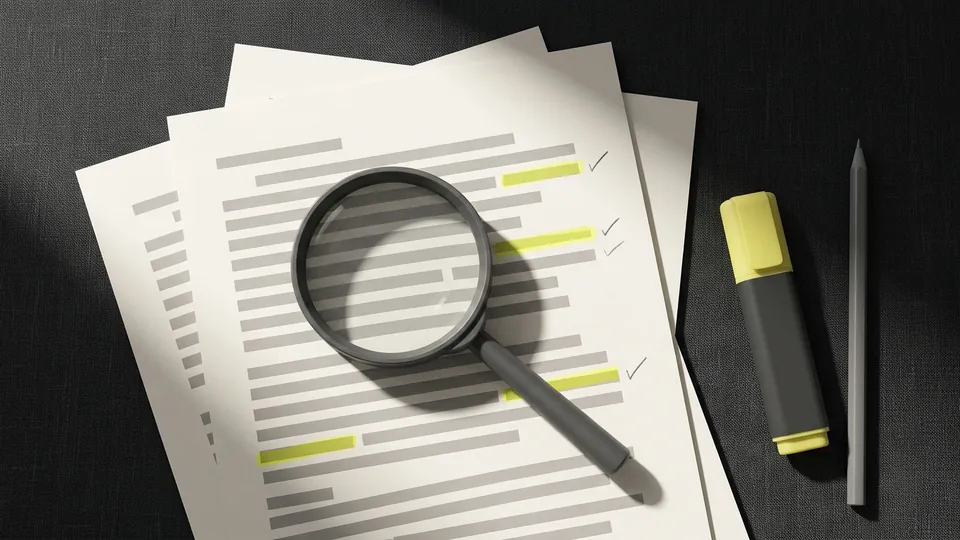
Copy the exact wording and highlight the key phrase
Take the quotation as given and mark its most distinctive four to eight words, the ones least likely to appear by chance. Distinctive phrases search better than whole sentences, which are often slightly altered as they travel.
Search for the phrase in quotation marks
Search the web, a news archive, a book search and, for academic quotations, a scholarly search engine. Note the earliest dated appearance you find, not the most popular one.
Find the primary source
Follow citations back until you reach the original: the book page, the transcript, the recording, the speech text or the article where the person was interviewed. Secondary sources that quote each other do not count, however many there are.
Compare the wording word by word
Highlight the original passage and compare it with the version you were given. Look for dropped qualifiers, merged sentences and words that change the meaning. A quote that is close but sharper than the original is a paraphrase, and should be presented as one.
Check speaker, date and context
Confirm that the named person said it, and when. Read the paragraphs around the line: a sentence that sounds like an endorsement can be the speaker describing a view they go on to reject.
Record a link to the original line
Make a highlight link that opens the primary source at the quoted words, and keep it with the quotation. If the source is a scanned book or a recording, record the page number or the timestamp instead.
The four possible outcomes
| Outcome | What you found | What to do |
|---|---|---|
| Verified | The primary source contains the words, from the named speaker, in a context that fits | Quote it with a citation and keep the highlight link |
| Paraphrased | The idea is in the source but the wording has been changed | Use the original wording, or present it as a paraphrase |
| Misattributed | The words exist, but someone else said them, or the named speaker was quoting another person | Correct the attribution |
| Unsourced | No primary source can be found anywhere | Do not use it as a quotation |
Quotes from AI writing tools
Chat assistants and writing tools can produce quotations that have never existed, complete with a plausible speaker and a publication that sounds right. They can also produce a real quote attached to the wrong person, or a real person's views condensed into words they never used. None of this is visible from the text itself, so treat every quotation in generated text as unsourced until you have reached the primary source. The steps above work unchanged; expect the search in step two to come up empty more often. Our guide on checking a chatbot answer claim by claim covers the rest of such an answer.
Why the exact line matters
A citation to a 400-page book or a two-hour transcript is technically a source, but nobody will check it. A link that opens the primary source with the quoted words already highlighted takes a reader straight to the proof, which is why fact checkers and careful editors have adopted them. The mechanism behind these links is explained in how text fragment links work. For a source you will cite in a longer piece, the method in verifying the claims in a source keeps all your evidence links in one place.
Tips that save time
- Famous quotations attributed to Einstein, Lincoln, Churchill or Twain are misattributed more often than not. Start with a dedicated quotation research site before a general search.
- Translated quotations change most. Search the original language if you can.
- Dates matter: a quote that mentions a technology or event after the speaker's death answers the question on its own.
- Keep the failed searches too. A note saying "no source before 2024" is useful the next time the quote appears.
Tracing quotations is one of several verification habits in the guides on this site. The mechanics of the final step, a link that opens at the quoted line, are in how to link to highlighted text, and shortcuts for selecting text make comparing wording faster.
Common questions
How do you verify a quote is real?
Search a distinctive phrase in quotation marks, follow the earliest appearances back to the primary source, compare the wording, and confirm the speaker, date and context. Only a primary source verifies it.
What is a primary source for a quote?
The original record of the words: the speech text, the recording, the book page, the interview transcript or the letter. An article that quotes another article is a secondary source.
Can AI chatbots make up quotes?
Yes. They can produce quotations with plausible speakers and publications that do not exist, so every quote in generated text should be traced before it is used.
How do I link to the exact line of a quote online?
Use a text fragment highlight link: it opens the page scrolled to the quoted words and highlights them. The highlight link generator on this site builds one from the page address and the words.
Sources
- O'Toole, G. (2017). Hemingway Didn't Say That: The Truth Behind Familiar Quotations. Little, Brown.
- Wineburg, S. and McGrew, S. (2019). Lateral Reading and the Nature of Expertise. Teachers College Record, 121(11).
- WICG URL Fragment Text Directives specification