Cornell Notes: The Method, the Five Steps, a Template and a Worked Example
One sheet, three boxes, five steps. The Cornell system turns notes you would only reread into questions you can test yourself on.
in short
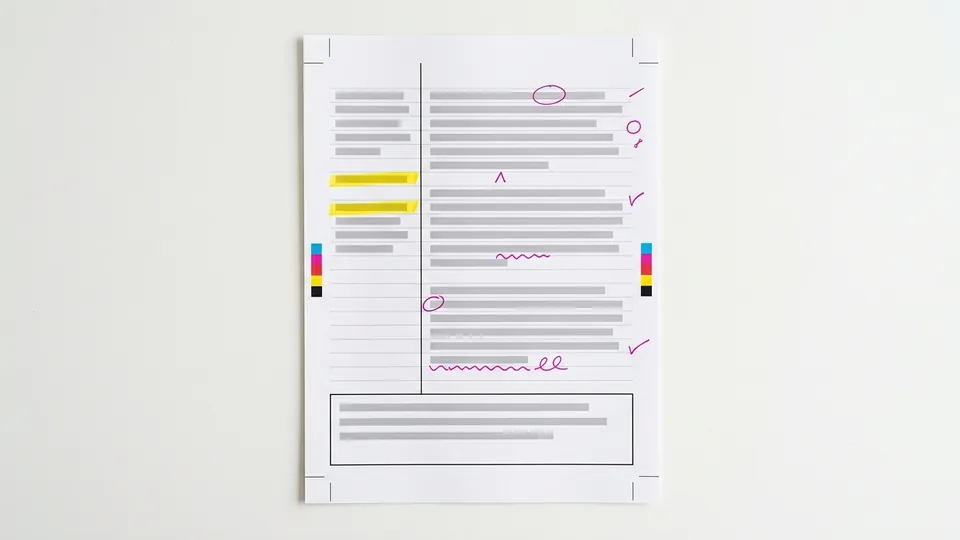
Cornell notes split a page into three parts: a cue column about 2.5 inches wide on the left, a note-taking column about 6 inches wide on the right, and a summary space about 2 inches deep at the bottom. You record notes, write questions in the cue column, recite, reflect, then review weekly.
Cornell notes are a way of laying out a page so that your notes become a study tool. You split the sheet into a narrow cue column on the left, a wide note-taking column on the right, and a summary box along the bottom, then work through five steps: record, questions, recite, reflect and review. This guide describes the layout and the steps the way Cornell University's own Learning Strategies Center does, gives a template you can draw on any paper, works through one example from start to finish, and shows how highlights from a reading can fill the cue column.
What Cornell notes are and where they come from
The cue column turns your notes into a quiz you can take with one hand over the page.
The method comes from a book, not a software template. Cornell's Learning Strategies Center page on the Cornell Note Taking System says the system was originally developed by Cornell education professor Walter Pauk, who set it out in his book How to Study in College. The page cites the tenth edition (Pauk and Owens, 2010), chapter 10, "The Cornell System: Take Effective Notes."
The center's one-page handout, The Cornell Note-taking System, adapted from the seventh edition of the same book, is the plainest statement of the method. It shows the page layout with measurements and lists the five steps. Everything in the next two sections follows that handout's wording.
The idea is simple. Cornell notes add a second pass after class, when you condense the notes into questions in the left column. When you study, you cover the notes and answer from the cues, so every page doubles as a quiz.
The Cornell notes layout
The Cornell handout draws the page as three regions and gives each a size. The table sets them out with what goes in each and when you fill it.
| Region | Size on the Cornell handout | What goes in it | When you fill it |
|---|---|---|---|
| Cue column (left) | 2 1/2 inches wide | Questions and cue words drawn from your notes | As soon after class as possible |
| Note-taking column (right) | 6 inches wide | The lecture or reading, recorded in short telegraphic sentences | During the lecture or reading |
| Summary (bottom) | 2 inches deep, across the page | A summary of the notes on that page | After class |
Those sizes fit a standard 8.5 by 11 inch sheet. On other paper, keep the proportions. The Learning Center at UNC Chapel Hill, in its handout on taking notes while reading, describes the same layout in proportions: about two inches blank at the bottom, and the top divided into a one-third section on the left and a two-thirds section on the right.
How to take Cornell notes: the five steps
Cornell's handout names five steps. Some guides rename or merge them; these are the handout's names and instructions, in order.
Record
During the lecture, use the note-taking column to record the lecture "using telegraphic sentences." Write the point, not every word: short phrases, abbreviations, and a new line for each new idea.
Questions
"As soon after class as possible," write questions based on the notes in the right-hand column. The handout says writing questions helps to clarify meanings, reveal relationships, establish continuity and strengthen memory, and that it sets up the stage for exam study later.
Recite
Cover the note-taking column with a sheet of paper. Looking only at the questions or cue words in the left column, say the answers aloud, in your own words.
Reflect
Ask yourself questions about the material. The handout's examples: what is the significance of these facts, what principle are they based on, how can I apply them, how do they fit with what I already know, and what is beyond them.
Review
Spend at least ten minutes every week reviewing all your previous notes. The handout says that if you do, you will retain a great deal for current use as well as for the exam.
The summary box sits outside the numbered steps on the handout, with its own instruction: after class, use the space at the bottom of each page to summarize the notes on that page. A good moment to write it is straight after the questions step, while the page is fresh.
A Cornell notes template you can draw in a minute
You do not need a printed form. A ruler and a pen make the template, and the same lines work in a notebook, on loose paper, or in a two-column table in a document.
- Across the top, write the course, the date and the topic. Reading notes also get the book or article and the chapter.
- Draw a horizontal line about 2 inches above the bottom edge. The space below it is the summary.
- Above that line, draw a vertical line about 2.5 inches in from the left edge. The narrow strip is the cue column; the wide area is for notes.
- Label the three areas once, so the page reads the same way every time: Cues, Notes, Summary.
- Number each page of a set. When a lecture runs to three pages, each page still gets its own cues and its own summary.
In Google Docs or Word, insert a table with two columns and two rows, set the left column to about a third of the width, and merge the bottom row into one cell for the summary. Copy the table for each new page of notes.
A worked example: one page of Cornell notes
Here is a short passage written for this example, in the style of an introductory science reading, followed by the page a student might make from it.
| Cues (written after) | Notes (written during) |
|---|---|
| What drives evaporation? | Sun's heat: surface water to vapor = evaporation |
| How do clouds form? | Vapor rises, cools, condenses into droplets: clouds |
| Name three forms of precipitation. | Droplets heavy enough fall: rain, snow, hail |
| Where does water collect? | Collects in oceans, lakes, groundwater; cycle restarts |
The notes are telegraphic: colons stand in for sentences. The cues are questions, not labels, so covering the notes leaves something to answer. To recite, put a sheet over the right column and answer the four questions aloud; any you cannot answer tell you which line to restudy.
How highlights feed the cue column
Cornell notes were designed around lectures, but the layout also works for reading. UNC's handout lists Cornell-style notes among its formats for notes from a text. Highlighting fits in at the questions step.
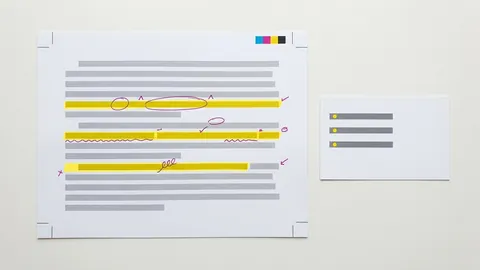
When you read with a highlighter, the marks show you what you judged important. Each highlight can become a cue: turn the highlighted phrase into a question, write it in the left column, and put the answer, in your own words, in the notes column beside it. The full routine for that conversion is in the guide to turning highlights into notes, and a color scheme that sorts definitions from examples is in the highlighter color-code system.
Two limits keep this honest. First, a highlight is not yet a note; until you have rewritten it as a question and an answer, you have only marked it. Second, if every line is yellow, the cue column has nothing to choose from. UNC's handout warns against over-highlighting for the same reason: highlighting too much can keep you from focusing on the main ideas. The evidence on highlighting as a study habit is weighed in does highlighting help you learn, and the wider set of before, during and after techniques is in the guide to active reading strategies.
Common mistakes with Cornell notes
- Leaving the cue column blank. Without the questions step, Cornell notes are ordinary notes with a wide margin. The cues are the point of the format.
- Writing cues as labels. "Evaporation" is a label. "What drives evaporation?" is a cue you can be tested on. Questions make recitation possible.
- Copying full sentences during class. The handout asks for telegraphic sentences. Full transcription is slow and leaves less room to listen.
- Rereading instead of reciting. Reading the notes again feels like studying. Covering them and answering from the cues is the step the method is built on.
Tips for making the method stick
- Do the questions step the same day. The handout says as soon after class as possible, and the notes make the most sense while you still remember the lecture.
- Keep the weekly review short and regular. The handout's figure is at least ten minutes a week across all previous notes. A fixed time slot makes it a habit.
Cornell notes come down to one page and one habit: record in the wide column, turn the notes into questions in the narrow one, and test yourself from those questions every week. Draw the template once, use it for both lectures and readings, and let your highlights suggest the cues. For more ways to read, mark and remember, browse the study guides on reading and note-taking.
Common questions
What are the three sections of Cornell notes?
Cornell notes have a cue column on the left, a note-taking column on the right, and a summary area across the bottom. Cornell's Learning Strategies Center handout draws them at 2.5 inches, 6 inches and 2 inches deep. The notes column is filled during class, the cue column with questions afterward, and the summary after class.
What are the five steps of the Cornell method?
Cornell's handout lists five steps: record notes during the lecture in telegraphic sentences, write questions from those notes as soon after class as possible, recite answers aloud with the notes covered, reflect on the material by asking how it fits and applies, and review all previous notes for at least ten minutes every week.
Who invented Cornell notes?
Cornell's Learning Strategies Center says the system was originally developed by Walter Pauk, a Cornell education professor, who described it in his book How to Study in College. The center cites chapter 10 of the tenth edition, written with Ross J. Q. Owens and published in 2010, as the source of the method.
Can I use Cornell notes for reading, not just lectures?
Yes. The same layout works for a textbook chapter or an article: notes from the reading go in the right column, questions in the cue column, and a summary at the bottom. UNC Chapel Hill's Learning Center lists Cornell-style notes as a format for notes taken while reading, and highlights from the text can become cue questions.
Do Cornell notes work on a laptop or tablet?
They can. In Google Docs or Word, make a two-column table with a merged bottom row for the summary, and copy it for each page. On a tablet with a stylus, draw the lines on a blank page or use a ruled template. The steps stay the same: the cue questions and recitation matter more than the medium.
Sources
- Cornell University Learning Strategies Center: The Cornell Note Taking System
- Cornell University Learning Strategies Center: The Cornell Note-taking System (handout, PDF), adapted from How to Study in College, 7th edition, by Walter Pauk
- The Learning Center, University of North Carolina at Chapel Hill: Taking Notes While Reading
sign-off
Checked against its sources and signed before it went out.
Nora Feld
Editor · reviewed 2 Nov 2026